 FindVoice
Find your way
Could you take me to this address?
可以送我去这个地址吗?
A little help for your trip to China
FindVoice is a multilingual offline translation app with two-way voice translation for face-to-face conversations, giving you the feel of simultaneous interpretation. Ask for directions. Check in at your hotel. FindVoice helps you and the person in front of you understand each other, on one iPhone or iPad.
For iPhone & iPad · iOS / iPadOS 26 or later
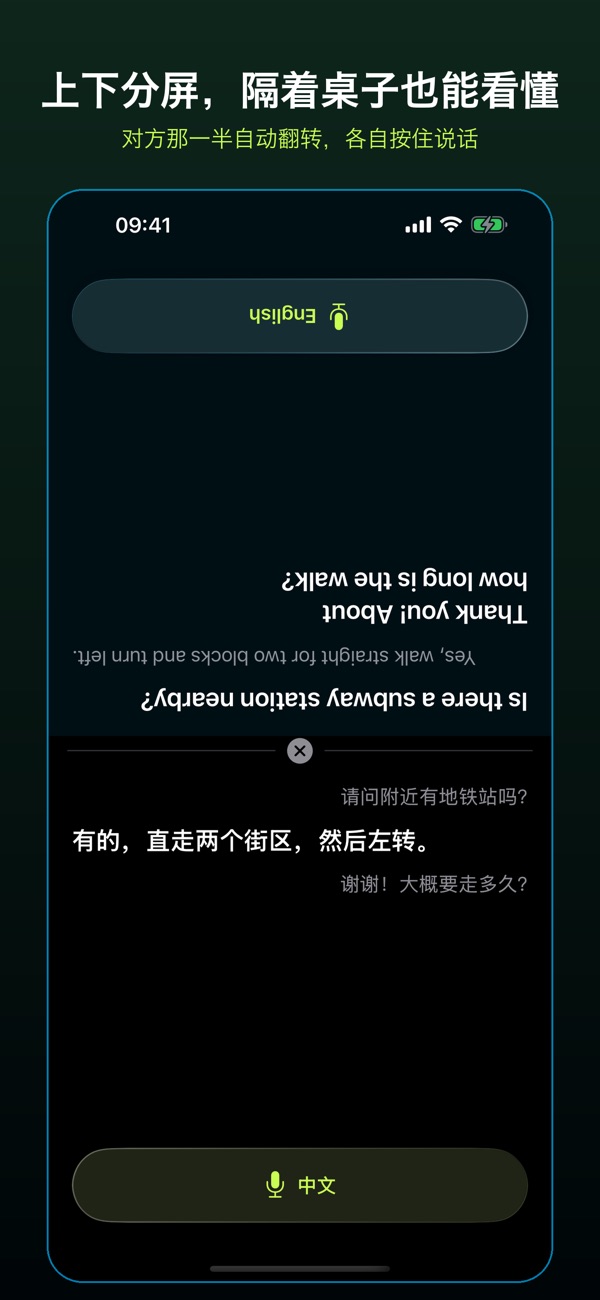
For the moments that make a trip
Take turns holding the button for your language. Release it to read and hear the translation.
Could you take me to this address?
可以送我去这个地址吗?
I have a reservation.
我有预订。
Could you make it less spicy?
可以少放点辣吗?
Example phrases for a trip. Check the translation with the other person when details matter.
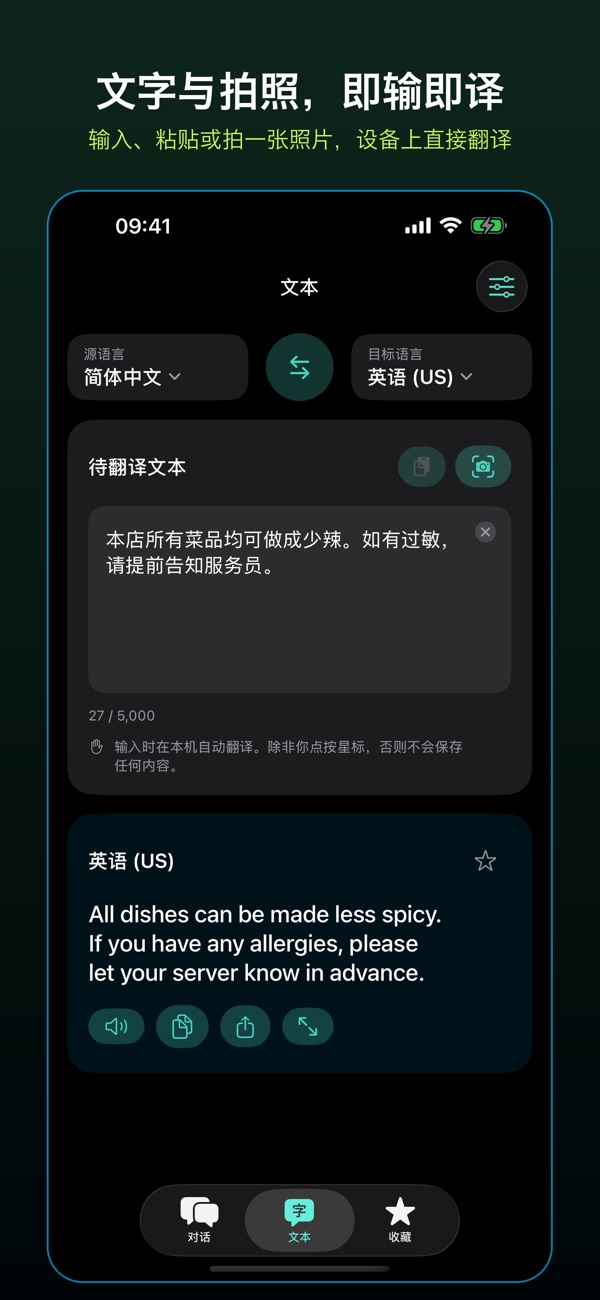
For the words around you
Take a photo of a menu or sign, select the recognized text you need, check it and translate. You can type or paste text, too.
A small step before you leave
Initial activation, purchases and language downloads need an internet connection. Prepare supported resources before your trip so their translation features are ready to use offline.
Use a compatible iPhone or iPad with iOS or iPadOS 26 or later.
Confirm the languages you want to keep. Availability and speech support depend on your device and system.
While connected to the internet, prepare the translation, speech and voice resources for your language directions.
Check both directions, captions and audio. Test the features you need with the network turned off before relying on them during a trip.
Good to know
No. In face-to-face mode, both people use the same phone or tablet. Each person holds the button for their language, then releases it to translate.
Offline use requires the relevant resources to be ready and the language and device to be supported. Activation, purchases and initial downloads need internet access. Speech support can differ from text translation support.
Recordings, photos, source text and translations are not uploaded to our servers. Purchase and language-entitlement information is used for activation, upgrades and restoring purchases. No FindVoice account is required.
Standard includes two chosen languages. Optional one-time upgrades provide six languages in Advanced or all available languages in Flagship. Confirmed language choices are fixed; deleting resources or reinstalling does not reset them. See the App Store purchase screen for local pricing.
The mainland China storefront is not open yet while APP filing is being completed. Availability depends on your App Store region. The currently released app is for iPhone and iPad; there is no Android version.
Install FindVoice and prepare your languages before you travel.